
Windows Live Mail M5 Released
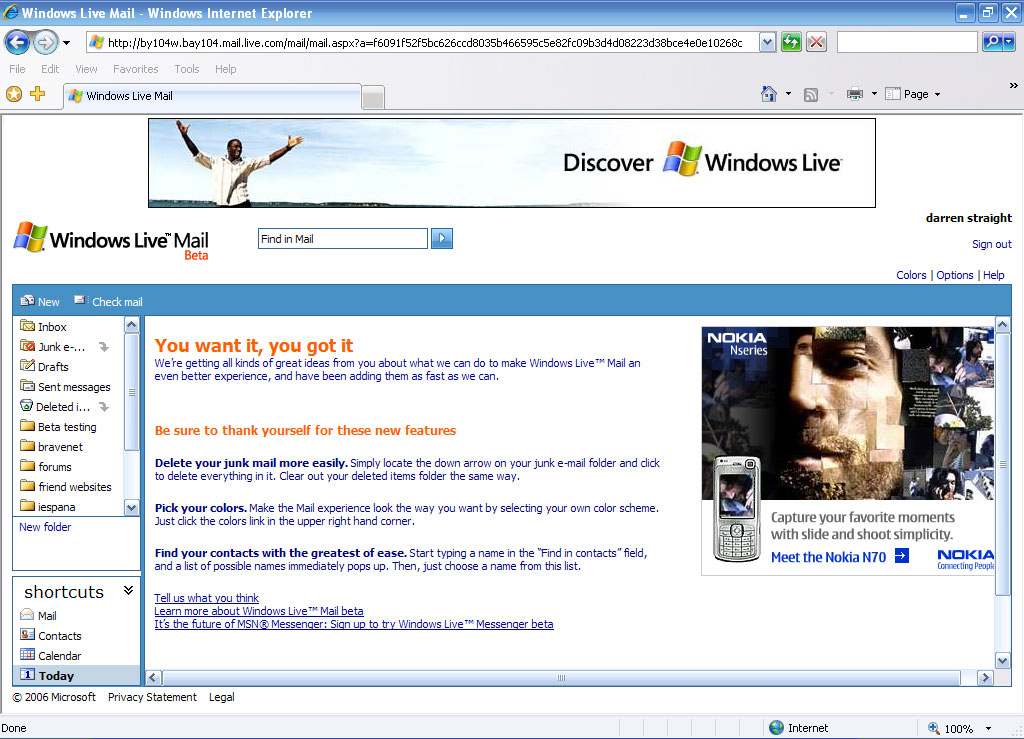
Windows Live Mail Milestone 5 has now gone live to all beta participants of Windows Live Mail.
Hotmail Classic View
OK, I know it’s a contradiction to name anything with the name classic as NEW. But it is. We know our customers roam….and that they don’t always log in to Windows Live Mail on computers with IE (and many times they aren’t even logging in from a computer at all). We want to help make sure you guys can get your mail any time you need. Now for people not using Internet Explorer 6.0 and higher, we have a new view of WL Mail, what we’re calling the Hotmail Classic View. Some of you have noticed that we’re missing a few features. Well, we’re still not done, but there’s tons of new stuff including:
- Contact picker on compose
- Report & Delete for junk mail
- Download/send/forward attachments
- Reply to and Forward mail
- CC/Bcc fields on compose
- Move message to folders
- Safety messaging
Besides additional browser support, Hotmail Classic serves another purpose. While we know the vast majority of you love Windows Live Mail, we do know that some of our customers miss things about Hotmail that they’ve been using for years (we’ll admit, it surprised us how beloved the checkboxes were!). Think of Hotmail Classic as a bit like a soda that came back as classic ?. Hotmail Classic view has the familiarity of Hotmail, but with the benefit of being built on top of the new, more robust Windows Live Mail platform.
Pick your own colors
Some of you love the new colors (or lack of) in Windows Live Mail. But we got a fair question from many of you — you can color personalize your Messenger, your Space…why not your Mail? Now you can pick the color scheme that fits you best. Find the one you love, or change it every day. It’s up to you. (And yes, real men do pick pink.)Offline Mail and other good stuff
Announcing Windows Live Mail Desktop Beta! The next generation of desktop mail is coming. Check out the team blog for all the details.New user wizard
We keep adding features, and we want to make sure you know about them, so we’ve created a first experience that helps you customize WL Mail just the way you like it. The first time you log into Windows Live Mail, we’ll walk you through some of the most important options in WL Mail so you get the experience that’s right for you.Configurable reading pane
Did you know that you can turn the reading pane off? That’s ok, no one else did either. Now you can configure the reading pane while reading your mail. No hunting through options, you can change it on the fly. Even better, we’ve added an option: the bottom reading pane! Now you can chose between having the reading pane on the right, bottom, or off. You pick. Change it whenever you like.Outlook-like shortcuts
You can now use the shortcuts menu in the left hand navigation to switch between Mail, Contacts, Calendar and the Today page. Need more space? Minimize the shortcuts to give yourself the maximum amount of room to view your mail.Contact picker
I know auto-complete is awesome. Start typing a name and we complete the address for you. It’s perfect for writing a mail to one or two people. But admit it, sometimes you just want to browse. You want to peruse your contact list and choose your contacts and groups. With contact picker you can browse your contacts and groups while composing a mail and choose which addresses you want to add.Find in contacts
If your contact list is bigger than 20 people, you’re probably tired of scrolling through the list looking for the right contact. Well, hunt no longer. Find in Contacts will actually word wheel through your contact list as you type. For those of you lucky enough to be on the Windows Live Messenger beta, this will probably look familiar. Select the contact you are looking for and you’ll jump right to that contact. Your contact management just got a whole lot easier.Spaces integration
Those cool contact cards aren’t just for Messenger anymore. The “contact control” now pulls in the profile picture for your contacts. You can view their contact card, jump to their Space or profile and more. This feature won’t be ready immediately when M5 is released but we were too excited to keep it a secret.Custom filters
While Windows Live Mail continues to use the custom filters you set up in Hotmail, there hasn’t been any way to edit the old rules or create new one. And boy did our beta testers miss it. Until now. Custom filters are back, allowing you to have mail sent directly to a folder of your choosing based on the criteria you select.Easy empty folder
Want to empty your trash or junk mail folder quickly? Now you can, without having to open the folder first. Just click on the empty folder icon and your trash is gone. It’s that simple.




Via: Windows Live Mail Team Blog | Beta signup page